How to Increase Trust Factor in CS2
CS2 never shows your exact Trust Factor, and there is no button that fixes it overnight. The sensible approach is less exciting: play legitimately, finish matches, avoid toxic behavior, secure your Steam account, and give the system time to collect better signals.
What Is Trust Factor in CS2?
The CS2 Trust Factor is a hidden matchmaking value used to group players who are likely to have a similar experience together. It is separate from your Competitive rank, Premier rating and FACEIT level. Being good at the game does not automatically mean that you have high Trust Factor.
So, what is Trust Factor in CS2 based on? Valve does not publish the full list or explain how much weight each signal carries. According to the official Steam Support FAQ, the system considers a player’s history in Counter-Strike and across Steam. Valve has previously mentioned playtime, cheating reports and activity in other Steam games as examples, but the model keeps changing.
Trust Factor affects who enters your official matchmaking pool. A lower value may lead to games with more suspicious, disruptive or frequently reported players. It does not guarantee that every match will be bad, though. Match quality also depends on your region, queue time, selected maps and the number of available players.
Parties matter as well. Valve says matchmaking uses the lowest Trust Factor among the players in a lobby. One account with poor standing can therefore affect the experience of the entire group.
How to Check Your Trust Factor in CS2
CS2 does not display a score, percentage, color or history page for Trust Factor. There is no console command for it either. Valve deliberately keeps the value hidden, so players cannot optimize a few known actions while ignoring their overall behavior.
That also means a CS2 Trust Factor checker cannot retrieve your official value. Third-party websites may examine public Steam information such as account age, bans, hours played or profile visibility. They can make a guess, but they do not have access to Valve’s internal Trust Factor data.
Searches for how to check Trust Factor CS2 usually lead to the lobby-warning method. Invite a friend, enter an official matchmaking lobby and check whether either player receives a message saying that the other person’s Trust Factor may affect the match. This can show that there is a noticeable difference between two accounts, but not the exact score of either one.
The notion of a red Trust Factor CS2 comes from the community’s description of these warnings. A red warning usually suggests a larger difference, while yellow is treated as a smaller one. “Green Trust Factor” generally means that no warning appeared. These are useful labels, not an official three-tier ranking system.
Indirect signs include suddenly meeting more obvious cheaters, griefers or players who abandon matches. Longer queues can also raise suspicion. None of these proves that your Trust Factor is low – a quiet region, unusual queue time or unpopular map selection can produce similar results.
Why Is Your Trust Factor Low in CS2?
A few terrible matches do not confirm low Trust Factor CS2. Look for a pattern across several sessions, especially if friends repeatedly receive a warning only when you join their lobby.
Valve does not reveal an exact cause for individual accounts. Still, it has confirmed that the system considers activity in Counter-Strike and Steam, and has cited cheating reports and play history as examples. The safest conclusion is that repeated negative behavior matters more than one unlucky game.
Players often wonder, why is my Trust Factor low in CS2? Well, here are the most likely reasons:
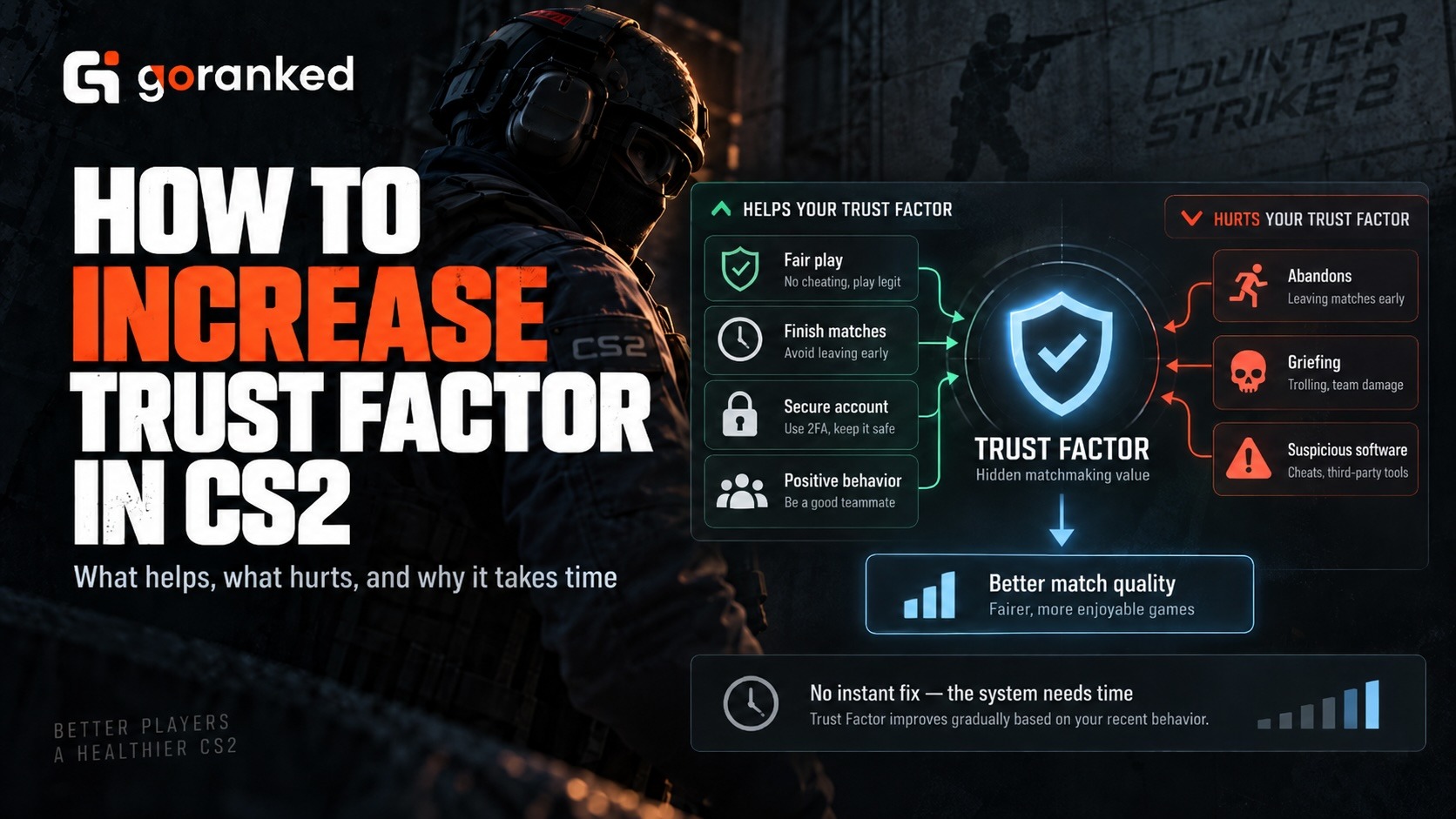
- using cheats, scripts or other prohibited software;
- receiving repeated reports for cheating or disruptive behavior;
- griefing, team damage or deliberately blocking teammates;
- abandoning Competitive or Premier matches;
- abusing voice or text chat;
- playing on an acquired Steam account with a poor history;
- having bans or suspicious activity connected with the account.
Some popular theories are much less certain. Players often claim that buying skins, collecting commendations, increasing Steam Level or adding more games will immediately raise Trust Factor. Valve has not confirmed these as guaranteed fixes. Do not spend money or trade commendations just to chase a hidden number.
Skins, inventories and marketplace activity belong to a different side of the CS2 ecosystem and should not be treated as a way to influence matchmaking. At the same time, skins have become closely connected with the professional CS2 scene, with major organizations increasingly partnering with dedicated trading platforms. One example is the white.market x NAVI collaboration, bringing together the esports brand and the skin marketplace within the broader Counter-Strike ecosystem.
A new account is not automatically placed in low Trust. Valve says Steam history can help the system evaluate new Counter-Strike players. However, an account with little activity gives the model less information, so matchmaking may feel inconsistent at first.
How to Increase Trust Factor in CS2
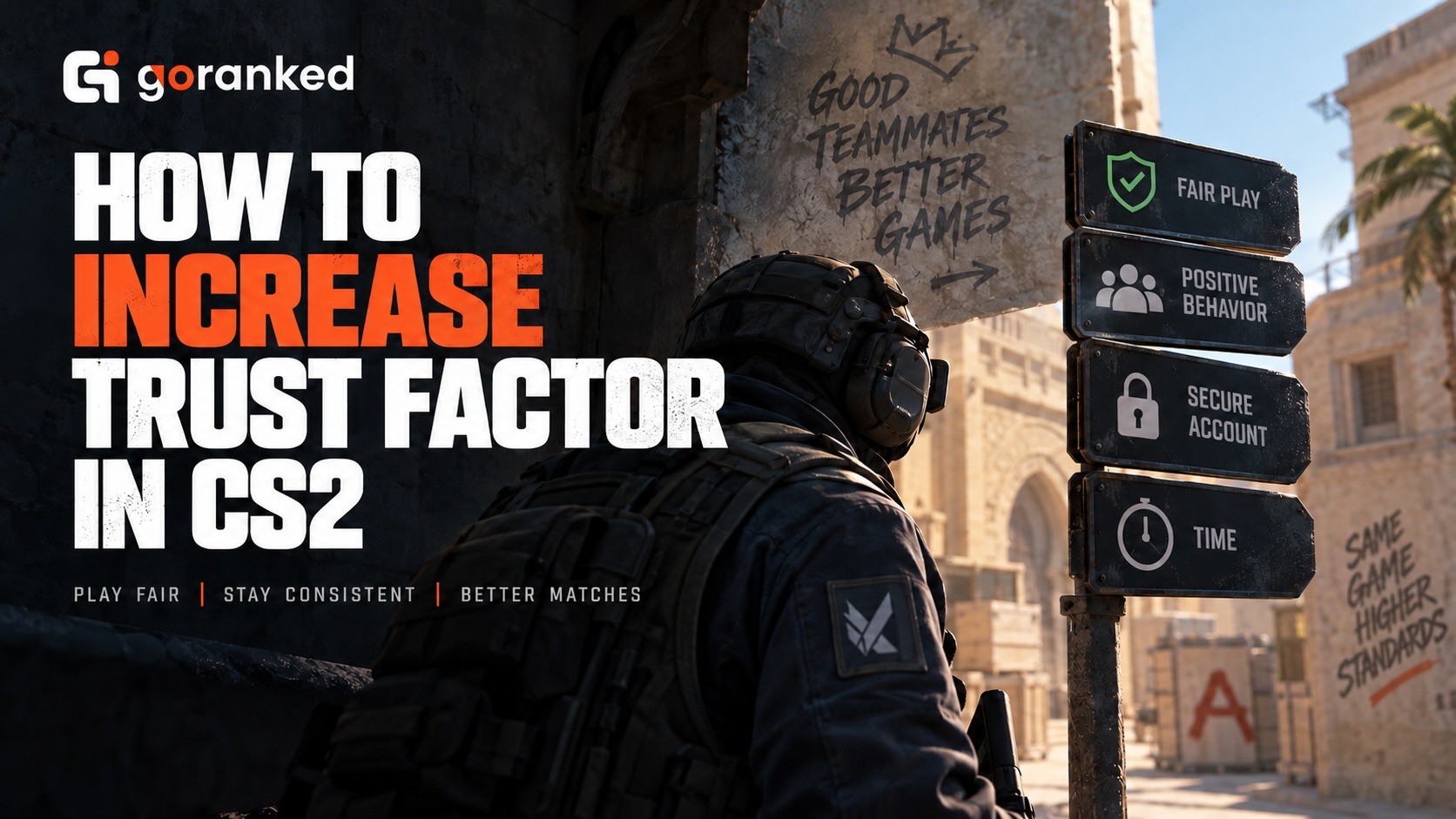
There is no instant method for how to increase Trust Factor CS2. No purchase, command or third-party service can set it to green. Valve’s own advice is straightforward: remain a positive member of the Counter-Strike and Steam communities and keep playing legitimately.
Want to know how to raise Trust Factor CS2? Start with the habits that are fully under your control:
- Finish the matches you start. If you do not have time for Premier or Competitive, play a shorter mode. Repeated abandons and cooldowns are not helping your account.
- Do not cheat or use suspicious software. Even a tool advertised as harmless can create problems if it interferes with the game.
- Cut out griefing. Avoid intentional team damage, blocking, idle play and vote-kick abuse.
- Keep communication useful. Give short callouts, mute toxic players and report genuine violations without starting an argument.
- Protect your Steam account. Enable Steam Guard, use a unique password and review authorized devices. Better security is sensible even though Valve does not promise a direct Trust Factor increase for it.
- Play normally over time. Consistent legitimate activity gives the system more information than a sudden burst of artificial profile actions.
That is also the honest answer to how to improve Trust Factor CS2: stop creating negative signals and build a longer stretch of normal activity. Improvement may take days or weeks. Valve does not publish a recovery timer, so there is no reliable way to predict how quickly an account’s Trust Factor may change.
For how to get out of low Trust Factor CS2, avoid “boosting” tricks such as commendation exchanges, cheap skin purchases or idling in other games. None comes with an official guarantee. Worse, trying to manipulate the system may make the account look less natural.
If matchmaking remains unusually poor for a long time, Valve asks players to email [email protected] with the subject Trust Factor Feedback, a description of the problem and their Steam ID. You probably will not receive the hidden score, but the report can help Valve investigate the experience.
Players who prefer a separate competitive platform can also explore CS2 FACEIT Boost. FACEIT has its own ranking and matchmaking systems, so it does not reveal or directly repair Valve’s Trust Factor.
Articles by this author