How to 1v1 in CS2: Private Lobby, Local Server, or Community Server
Want to play a quick 1v1 in CS2 or set up a proper duel with your own rules? This guide covers private lobbies, local servers, console commands, Workshop maps, and community servers so you can choose the setup that fits your practice.
How to 1v1 in CS2
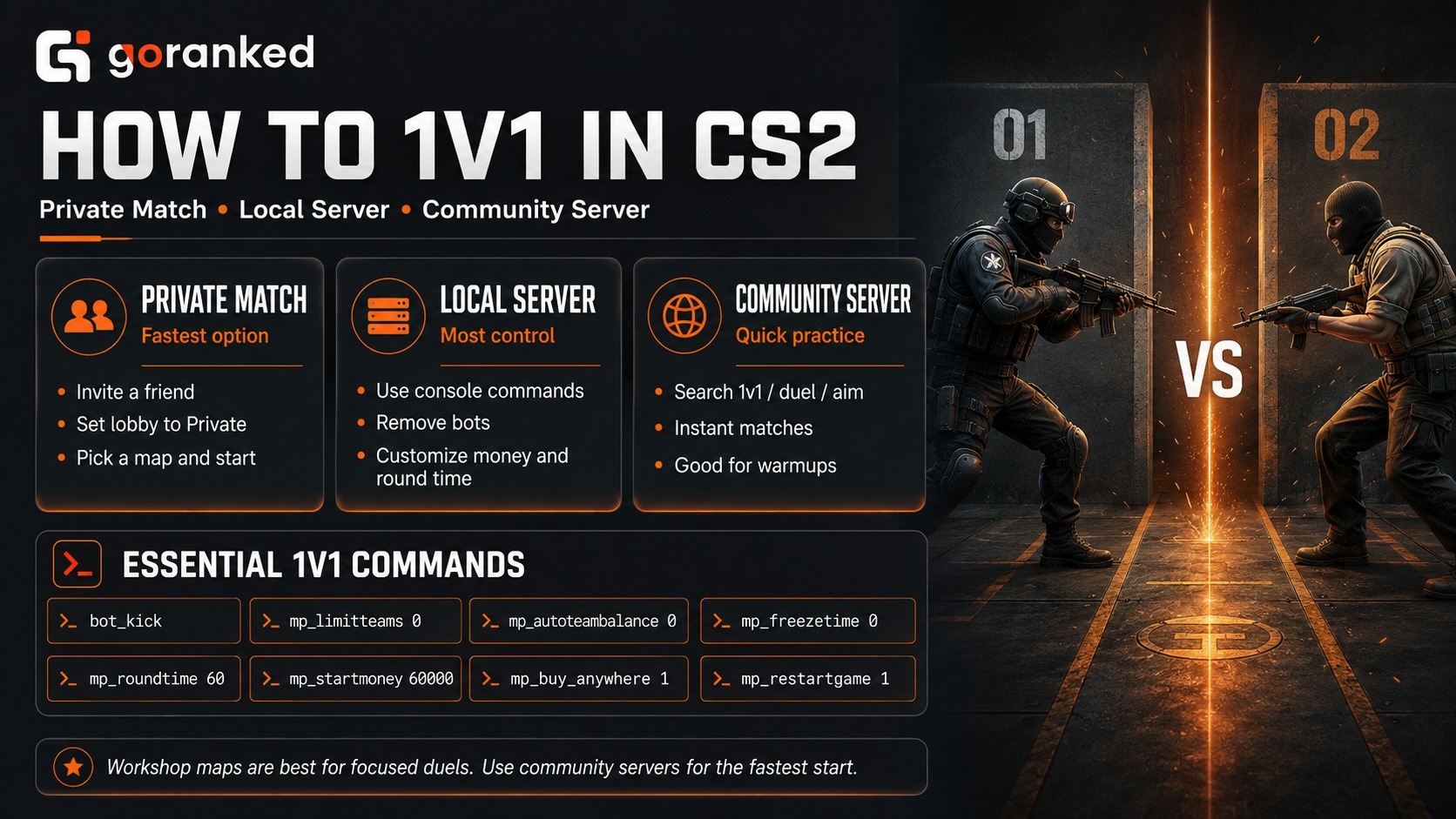
Trying to figure out how to 1v1 in CS2? You basically have three options: invite a friend to a private lobby, host the match yourself, or jump onto a community duel server. Which one makes sense depends mostly on whether you want convenience or full control over the rules.
Already have an opponent? A private lobby is usually the quickest way in. Invite your friend, load a map, and start playing. If you are looking up how to 1v1 CS2 with custom rules, a local server gives you much more freedom. You can kick bots, change round time, adjust money, and tweak the match through console commands.
Don’t want to touch the console at all? Community servers are the shortcut. Many CS2 duels already run on dedicated 1v1 or aim maps, so you can join, pick a weapon, and get straight into a fight.
And 1v1 CS2 practice isn’t only about settling who has better aim. Short duels are useful for peeking, crosshair placement, and warming up before competitive matches. They also give you a focused way to work on individual fights if you are trying to increase Faceit ELO.
How to 1v1 a Friend in CS2
The simplest answer to how to 1v1 a friend in CS2 is a private lobby. No random players, no public-server matchmaking – just you, your friend, and whatever map you decide to load.
Here is the basic setup:
- Open CS2 and create a lobby.
- Invite your friend from the friends list or through the Steam overlay.
- Set the lobby permissions to Private Match.
- Pick the map you want to use.
- Start the match and let the host load the local server.
- Once both players are in, remove bots or change the rules if needed.
For a basic duel, the CS2 private lobby is already enough. Using a Workshop map? Subscribe to it first and select it before launching the match. Invited players can download the map automatically when the host starts the local server.
A CS2 private match also keeps things predictable. Nobody takes a slot halfway through, and you are not stuck with somebody else’s server rules.
A lot of guides for how to 1v1 friend in CS2 stop at the lobby step. That is only half the job. Bots, round time, starting money, buy rules, and team balance can all be changed after the map loads. Once you want that level of control, the developer console becomes the useful part.
How to Set Up a 1v1 in CS2
If you’re wondering how to set up a 1v1 in CS2 beyond the lobby itself, most of the work comes down to a handful of console commands. You don’t need a giant practice config just to duel a friend.
Enable the developer console in CS2 settings and open it with the ~ key. Want to switch to a standard map from the console? Use map <mapname>, for example map de_mirage. After that, you can strip away the rules that get in the way of a simple 1v1.
These are the CS2 1v1 commands worth starting with:
| Command | What it changes |
|---|---|
| bot_kick | Removes bots from the server |
| mp_limitteams 0 | Removes the team-size difference limit |
| mp_autoteambalance 0 | Stops automatic team balancing |
| mp_freezetime 0 | Removes the freeze period at round start |
| mp_roundtime 60 | Extends the round timer |
| mp_maxmoney 60000; mp_startmoney 60000 | Gives both players plenty of starting cash |
| mp_buy_anywhere 1; mp_buytime 9999 | Lets you buy anywhere for much longer |
| mp_restartgame 1 | Restarts the match with the new settings |
On bomb maps, mp_roundtime_defuse 60 is the more relevant timer command. If you want a training session without the usual round timer getting in the way, our guide to infinite round time covers the extra setup.
Guides for how to set up 1v1 CS2 sometimes throw a huge command list at you. Most casual duels don’t need that. Start with the basics above and add more only if something in the default rules keeps getting annoying.
You can paste the same commands manually every time, but that gets old fast. If you use one setup regularly, save it as a CS2 1v1 config and run the file with exec <filename>. Much easier than remembering the whole list.
There is no single correct setup anyway. Want proper economy decisions? Drop the money commands. Practicing Deagle peeks for twenty minutes? Keep the long buy time and forget about normal round pacing.
Best CS2 1v1 Maps and Servers
Stock maps can work for a duel, but most of them give two players far more space than they need. The Steam Workshop is usually a better place to hunt for CS2 1v1 maps built around short fights. Subscribe to one you like and Steam downloads it automatically; after that, it shows up in the Workshop section in CS2.
For 1v1, smaller is usually better. Huge layouts mostly mean more running and less shooting. Good CS2 aim maps get both players into contact quickly and let you focus on one thing at a time: rifle fights, pistol rounds, AWP angles, peeks, or raw crosshair placement.
Search for the best 1v1 map CS2 players recommend and you’ll get plenty of different answers. That’s normal. A clean symmetrical arena is great for pure mechanics, while a tighter layout with boxes and cover gives you more room to work on movement and positioning. When browsing 1v1 maps CS2 in the Workshop, check the screenshots and description before subscribing. Some maps are clearly made for one weapon type; others let you mix things up.
Hosting is the catch. Don’t feel like setting up another lobby? CS2 1v1 servers are easier. Open the Community Server Browser and search for terms such as 1v1, duel, or aim. These servers can use their own maps and rules, so you can often get into a fight almost immediately.
That’s the real appeal of CS2 duel servers: no config file, no bot cleanup, no timer tweaking. Join, play a few rounds, leave when you’re done. If you want quick practice against different opponents, that’s often more useful than rebuilding the same private match every time.
Articles by this author