Infinite Round Time CS2: Commands and Setup Guide
Infinite round time CS2 is a useful practice setting that significantly extends the duration of a round and disables the standard conditions that would normally end it. This guide explains how to configure infinite round time in CS2, which console commands you need, and how to create a convenient Counter-Strike 2 practice environment.
What Is Infinite Round Time in CS2?
Infinite round time CS2 is a local server setting that prevents a round from ending under normal win conditions. In a standard match, a round ends when one team is eliminated, the bomb explodes or is defused, the hostages are rescued, or the timer runs out.
These restrictions can be inconvenient during practice. A special console command disables the standard victory conditions and lets you continue playing within the same round.
The main command is mp_ignore_round_win_conditions 1.
Once activated, CS2 ignores the conditions that would normally end the round.
However, CS2 infinite round time does not mean that the timer itself becomes literally infinite. Separate commands are required to increase the duration of the round. For a long and uninterrupted practice session, you should normally disable the win conditions and extend the timer at the same time.
Players use infinite time CS2 for:
- Exploring maps
- Practicing grenade lineups
- Training prefire routes
- Testing wallbangs
- Improving aim and recoil control
- Checking defensive and offensive positions
- Studying angles and entry routes
- Recreating different gameplay situations
If you want to know how to make round time infinite CS2, remember that these settings are intended for local practice matches and private servers where you have administrator rights. They cannot change the rules of an official Competitive or Premier match.
How to Make Round Time Infinite in CS2
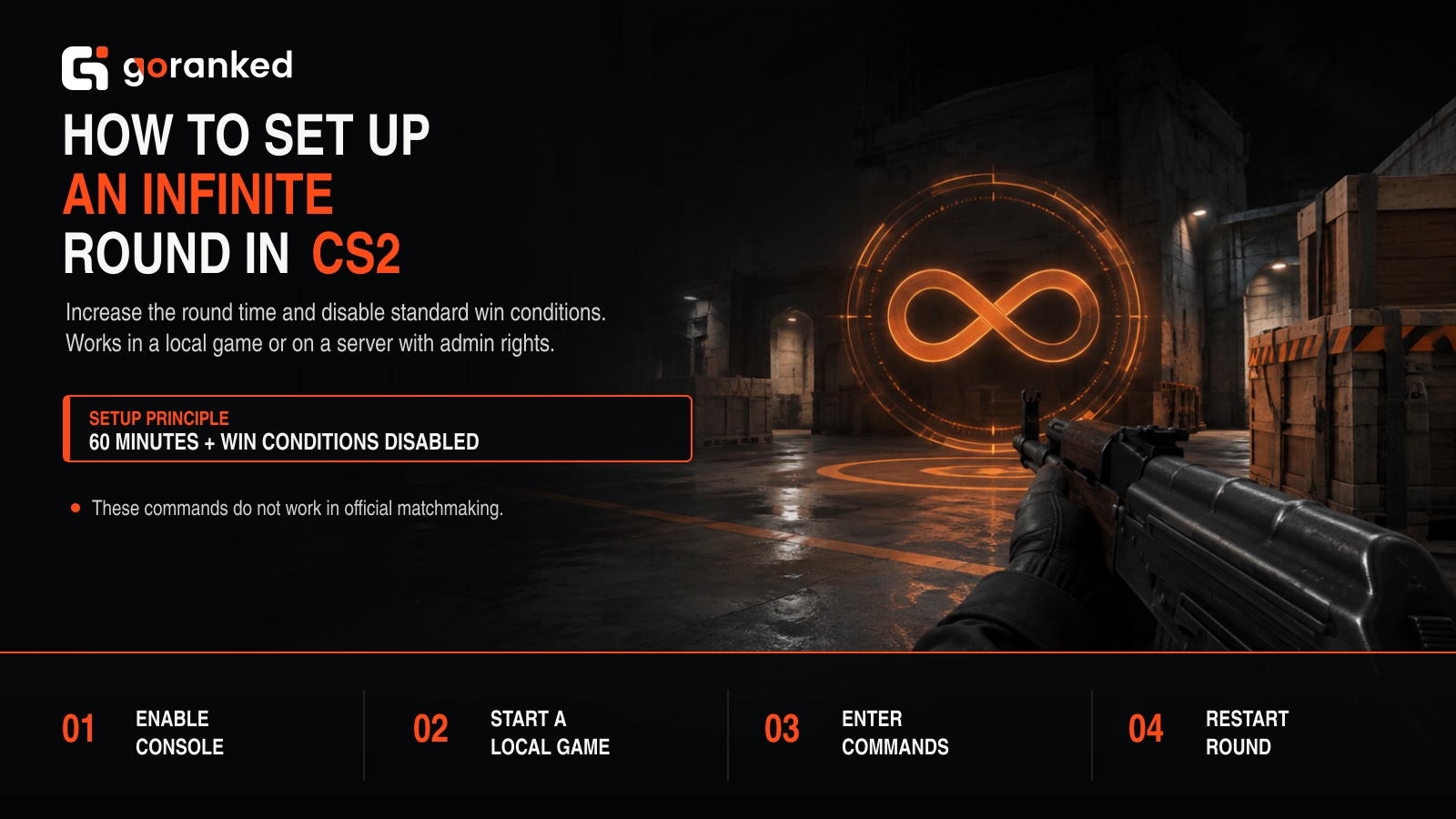
Before using the infinite time command CS2 players need for practice, you must enable the developer console. You can then start a local match and enter the necessary commands.
To enable the developer console, follow these steps:
- Open Counter-Strike 2.
- Go to Settings.
- Select the Game tab.
- Find Enable Developer Console (~).
- Change the setting to Yes.
You can now open the console during a match by pressing the ~ key. Depending on your keyboard layout, this key is usually located below Esc.
The main CS2 unlimited time command is mp_ignore_round_win_conditions 1. This command tells the game to ignore the standard victory conditions that normally end a round.
To restore the default behavior, enter mp_ignore_round_win_conditions 0.
The command prevents the round from ending after one team meets a standard victory condition. However, you should also extend the timer if you want to create a long practice session.
How to Add Infinite Time in CS2
If you are wondering how to add infinite time in CS2, use mp_roundtime 60 for standard game modes. This command sets the round duration to 60 minutes.
For Defusal maps, use mp_roundtime_defuse 60. It sets a 60-minute round timer on maps where the Terrorist team can plant the bomb.
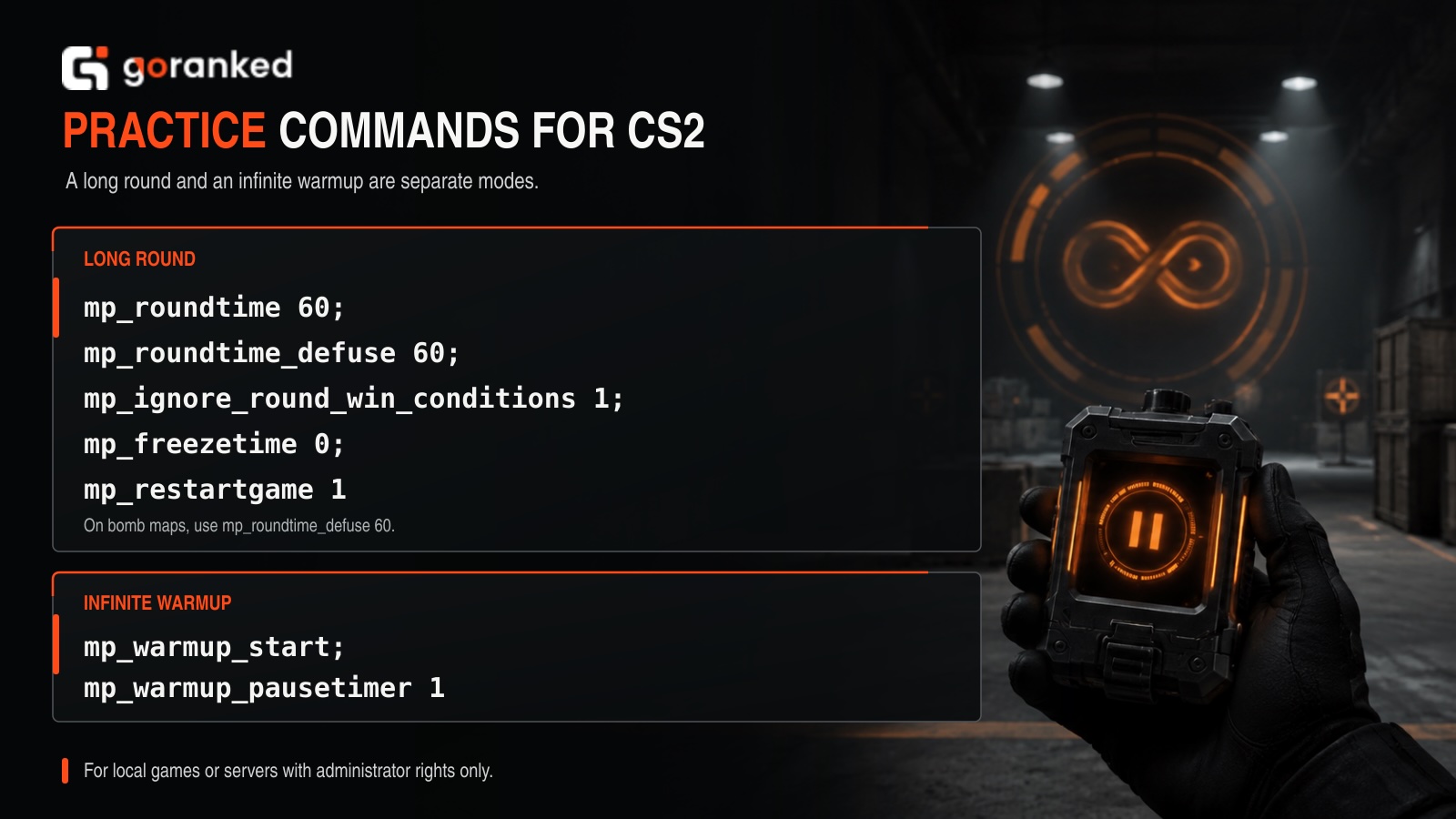
Increasing the timer and disabling the victory conditions are two separate settings. For the closest possible equivalent to an infinite round, use the following commands together:
- mp_roundtime 60
- mp_roundtime_defuse 60
- mp_ignore_round_win_conditions 1
Apply the settings by entering mp_restartgame 1. The game will restart after one second, and the new settings will take effect.
Additional Commands for a Practice Session
The CS2 infinite round time command can be combined with several other settings to create a more convenient practice environment.
Use mp_freezetime 0 to disable the freeze time at the beginning of each round. This lets you start practicing immediately.
Use mp_buy_anywhere 1 to purchase weapons and equipment from almost anywhere on the map. If you want to compare different knife models, animations, and their position on the screen, see our guide to CS2 knife commands.
The mp_buytime 9999 command significantly extends the available purchase period.
Console commands let you test standard knife models, but they do not add items to your inventory. You can browse specific finishes, wear levels, and patterns on the CS2 skins market.
After changing the settings, use mp_restartgame 1 to restart the round and apply the new values.
A complete set of practice commands:
- mp_freezetime 0
- mp_roundtime 60
- mp_roundtime_defuse 60
- mp_ignore_round_win_conditions 1
- mp_buy_anywhere 1
- mp_buytime 9999
- mp_startmoney 60000
- mp_maxmoney 60000
- mp_restartgame 1
You do not have to use every command. Choose the settings that match your training goals.
Warmup and regular rounds use different settings. If you want to know how to make infinite warmup time CS2, start the warmup with mp_warmup_start.
Then pause the warmup timer using mp_warmup_pausetimer 1.
This lets you remain in warmup mode for an extended period and practice without the timer counting down.
To resume the warmup timer, use mp_warmup_pausetimer 0.
To end the warmup, enter mp_warmup_end.
Remember that infinite warmup and infinite round time are not the same setting. The warmup commands control the pre-match warmup period, while mp_ignore_round_win_conditions 1 prevents a regular round from ending under standard victory conditions.
How to Use Infinite Time in CS2
The main advantage of unlimited round time is the ability to repeat the same action without waiting for a new round. Here are several ways to use these settings effectively.
Explore maps. Knowing how to set infinite time in CS2 gives you an opportunity to explore unfamiliar maps without pressure. You can walk through the main routes, check hiding spots, study common angles, and memorize positions where opponents frequently appear. To move quickly between different areas, you can also enable free flight using the instructions in our guide on how to fly in CS2 with noclip.
Practice grenade lineups. Players who know how to make infinite time in CS2 can practice smoke, flashbang, HE grenade, and Molotov lineups more efficiently. Move to a specific position, throw the grenade, check where it lands, and repeat the throw immediately. If the lineup does not work, you do not have to wait for the round to end before trying again.
Train prefire routes. A command for infinite time in CS2 is also useful when working on prefire routes. You can move through the map and practice shooting at the most likely enemy positions. Repeat the same route until your crosshair placement, movement, and timing become more consistent. The same practice server can also be used to enable bunnyhop commands in CS2 and combine movement training with site entries.
Test wallbangs. Infinite round settings are useful for testing which surfaces can be penetrated. You can experiment with different weapons, compare damage, and learn which walls, doors, boxes, and other objects allow bullets to pass through.
Practice aim and recoil control. An extended round gives you more time to practice shooting with different weapons. You can test recoil patterns, practice bursts, work on counter-strafing, and improve your ability to quickly move the crosshair between targets.
Test different positions. Use CS2 commands for infinite time to compare defensive and offensive positions around the map. You can test different angles for holding a bombsite, check how much of your player model is exposed, or find a position that lets you control several routes at once.
Essential CS2 Infinite-Time Commands
| Command | Purpose |
|---|---|
| mp_ignore_round_win_conditions 1 | Disables the standard conditions that end a round |
| mp_ignore_round_win_conditions 0 | Restores the standard round-ending conditions |
| mp_roundtime 60 | Sets the regular round duration to 60 minutes |
| mp_roundtime_defuse 60 | Sets a 60-minute timer on Defusal maps |
| mp_freezetime 0 | Removes freeze time at the beginning of a round |
| mp_buy_anywhere 1 | Allows players to buy equipment anywhere |
| mp_buytime 9999 | Significantly extends the purchase period |
| mp_startmoney 60000 | Sets the starting money to $60,000 |
| mp_maxmoney 60000 | Raises the maximum money limit to $60,000 |
| mp_warmup_start | Starts the warmup period |
| mp_warmup_end | Ends the warmup period |
| mp_warmup_pausetimer 1 | Pauses the warmup timer |
| mp_restartgame 1 | Restarts the game and applies the new settings |
FAQs
What Is the Command for Infinite Round Time in CS2?
The main command for infinite round time is mp_ignore_round_win_conditions 1.
It disables the standard conditions that normally cause a round to end. For a longer timer, combine it with mp_roundtime 60 or mp_roundtime_defuse 60.
How Do I Make Round Time Infinite in CS2?
Enter the following commands in a local match:
- mp_roundtime 60
- mp_roundtime_defuse 60
- mp_ignore_round_win_conditions 1
- mp_restartgame 1
The first two commands extend the timer, while the third prevents the standard victory conditions from ending the round.
How Do I Set Infinite Warmup Time in CS2?
Start the warmup with mp_warmup_start, then pause its timer using mp_warmup_pausetimer 1. To resume the timer, enter mp_warmup_pausetimer 0. To end the warmup, use mp_warmup_end.
Can I Use Infinite Round Time in Regular Matchmaking?
No. These commands are intended for local games and private servers where you have the necessary permissions. They cannot change the rules of official Competitive or Premier matches.
Why Does the Round Still Have a Timer?
The command mp_ignore_round_win_conditions 1 disables the standard victory conditions, but it does not automatically remove or extend the visible timer.
Use mp_roundtime 60 or mp_roundtime_defuse 60 to set a long round duration.
Do I Need to Enter the Commands Every Time I Launch CS2?
If you regularly use the same settings, you can save the commands in a separate configuration file and execute them together. This makes it much faster to prepare a practice server.
How Do I Restore the Default Round Settings?
Use mp_ignore_round_win_conditions 0 to enable the standard round-ending conditions again. If you paused the warmup timer, enter mp_warmup_pausetimer 0. You can then use mp_restartgame 1 to restart the round.
Restarting the local server or loading another game mode will also restore its standard configuration.
Articles by this author