


 Boost rating


 In-game currency



 Perplexity
 ChatGPT
 Grok
Grok
 Claude
 Post on Reddit
World of Warcraft Macros Guide
Macros are one of the most practical tools available to players in World of Warcraft. They allow you to combine commands, automate targeting, and trigger abilities faster than manual input. With the right WoW macros, players can simplify rotations, react faster in PvP, and reduce unnecessary keybinds. Many experienced players rely on WoW macro setups to improve gameplay efficiency, while others enhance their experience by upgrading their characters. For example, on the Goranked platform, players can buy WoW accounts with progressed characters ready for high-level content.
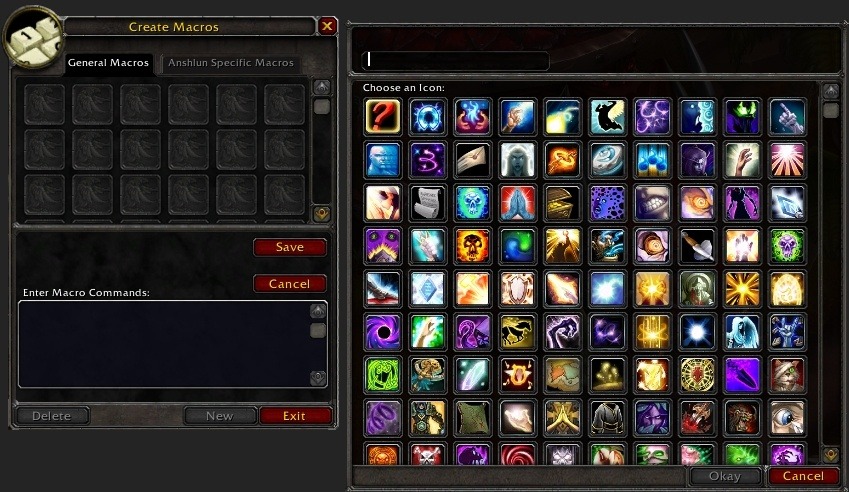
What Are WoW Macros
A WoW macro is a small script that executes one or more commands when you press a single button. Instead of performing several actions separately, the macro groups them into a single input.
In World of Warcraft, macros are often used to simplify common actions such as targeting enemies, casting spells, or activating items. This makes combat faster and more consistent, especially during encounters where reaction time matters.
It is important to understand that WoW macros are limited by Blizzard’s rules. They cannot fully automate gameplay and cannot bypass the global cooldown. A macro can only activate one ability that triggers the GCD per key press. Even with those restrictions, a well-written macro WoW script can dramatically improve how smoothly your character performs in both PvE and PvP.
How to Create a Macro in WoW
Creating a macro in WoW is simple and requires only the in-game macro editor.
Opening the Macro Menu
To access the macro interface, type /macro in the chat or open the menu through the game interface. The editor allows you to create, edit, and store multiple macros. Inside the window, you will see tWoW tabs:
General macros: available to every character on the account
Character macros: available only for the current character
Creating a Basic Macro
After clicking “New,” select an icon and enter the command you want the macro to execute. A basic WoW macro example:
/cast Frostbolt
Once saved, the macro can be dragged directly to your action bar and used like a normal ability. Most advanced WoW macros start from simple commands like this and expand with conditions, targeting rules, or additional actions.
Basic WoW Macro Commands
The macro system in World of Warcraft includes several core commands that players use when building macros.
The most common command is /cast, which activates abilities from your spellbook. Nearly every WoW macro uses this command because it triggers spells or abilities. Another useful command is /use. It works similarly to /cast but is typically used for items such as trinkets, potions, or equipment effects.
Target control commands are also very common in macro WoW setups. Commands like /target, /targetenemy, and /assist help players switch targets instantly without relying on tab targeting. Each command can also be combined with conditions, which allows macros to behave differently depending on the situation.
Stop Casting Macro
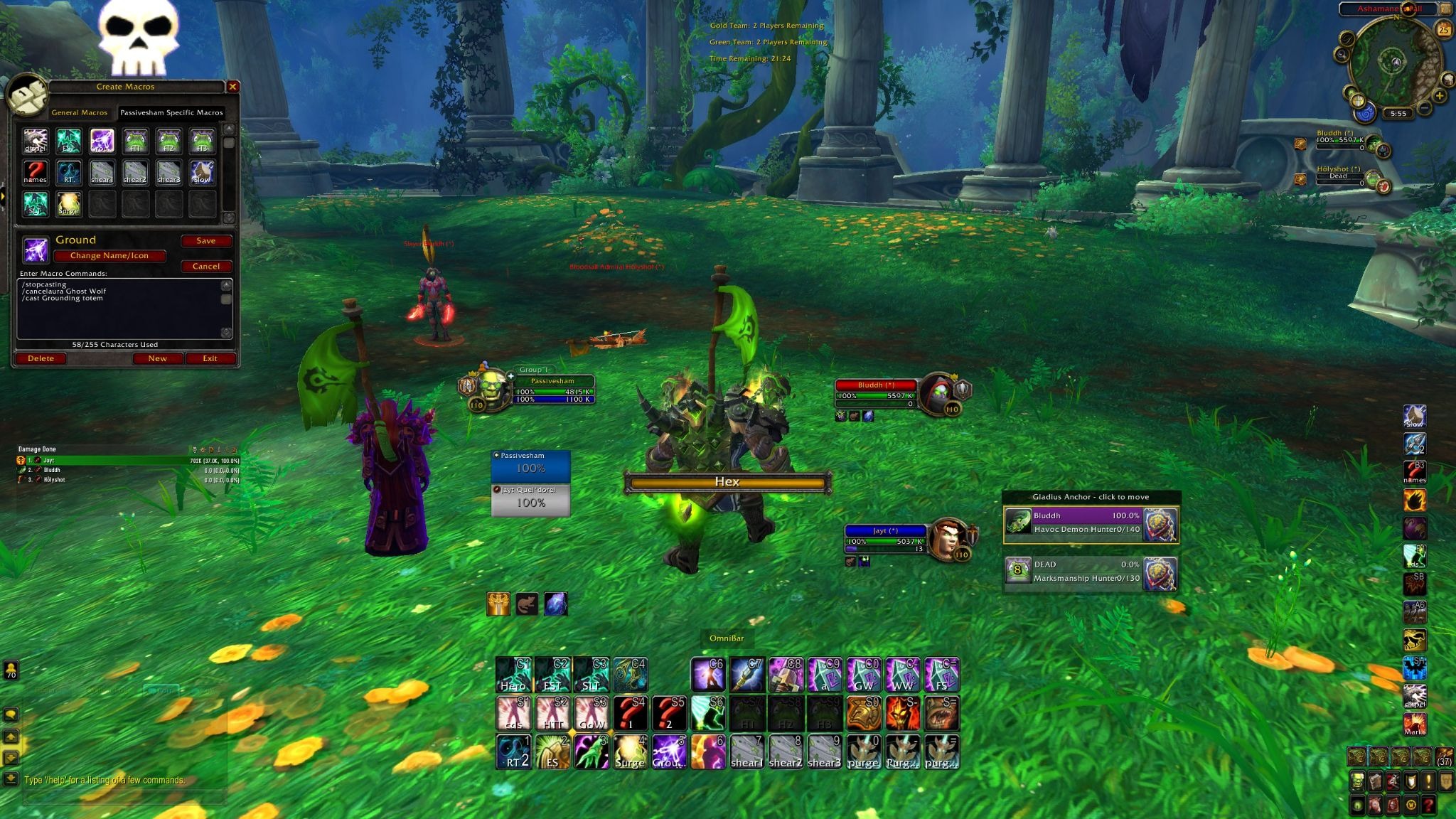
A Stop Casting macro is designed to interrupt your current spell and immediately perform another action. This is extremely useful when quick reactions are required.
How the Stop Casting Command Works
The command used in WoW macros is /stopcasting. When placed before another command, it cancels any spell that is currently being cast. Example:
/stopcasting
/cast Counterspell
With this WoW macro, your character instantly stops the current cast and performs Counterspell.
When Players Use Stop Casting Macros
These macros are especially popular in PvP situations where every second matters. Players often use them for interrupts, defensive abilities, or emergency healing.
Even in PvE encounters, a macro WoW setup with /stopcasting can prevent delays during important mechanics.
Targeting Macros in WoW
Targeting macros help players quickly select enemies or allies without manually switching targets.
In World of Warcraft, combat situations often involve multiple enemies moving at once. A properly configured WoW macro can instantly select the correct target, reducing wasted time during fights. These macros are widely used in raids, arenas, and battlegrounds where accurate targeting is essential.
/target Command
The /target command is the main targeting command used in WoW macros. Basic syntax:
/target Name
This command searches for nearby units whose names begin with the specified text and selects the closest match. Example:
/tar Deathwing
Many players shorten /target to /tar when writing WoW macros.
Conditional Targeting
Conditional targeting allows a macro to check specific conditions before executing a command. Example:
/tar [noexists][dead] Deathwing
This macro targets Deathwing only if the player currently has no target or the current target is dead. Conditions make macro WoW scripts more flexible. They help prevent unnecessary target changes and ensure the macro works correctly during combat.
Advanced Target Macros
Advanced targeting macros combine several commands to create more intelligent targeting behavior. Example:
/target [@focustarget, harm, nodead]
This WoW macro targets the enemy that your focus target is attacking. It is commonly used in coordinated PvP play. Another frequently used command is:
/targetenemy
This command automatically selects the nearest hostile enemy, which can be helpful when fighting multiple targets.
Practical Targeting Macro Example
Some WoW macros combine multiple targeting commands to ensure the player always has a valid enemy selected. Example macro:
/target [@focustarget,harm,nodead]
/stopmacro [@focus,exists]
/cleartarget
/targetenemy [noexists][dead]
This macro first tries to target the enemy of your focus target. If a focus target exists, the macro stops. Otherwise, it clears the current target and selects the nearest enemy.
Mouseover Macros
Mouseover macros allow players to cast abilities on a unit that the cursor is currently hovering over without changing the main target. This type of WoW macro is widely used in World of Warcraft because it saves time during combat and reduces the need for manual targeting.
In many situations, players want to keep their main target selected while still interacting with other units. A WoW macro with mouseover logic allows spells to be applied instantly to enemies or allies simply by moving the cursor over them. Example mouseover macro:
/cast [@mouseover,harm,nodead] Shadow Word: Pain
This macro casts Shadow Word: Pain on the enemy under your cursor if that unit is hostile and alive. If the conditions are not met, the spell will not trigger.
Mouseover macros are especially common among healers in World of Warcraft. Instead of switching targets between allies, a healer can move the cursor over party frames and instantly cast healing spells. DPS players also use WoW macros like this to quickly apply damage-over-time abilities during large fights.
Cast Sequence Macros
Cast sequence macros allow players to trigger a predefined order of abilities with repeated presses of the same button. Instead of placing several spells on different keys, the macro cycles through them step by step.
This type of WoW macro is commonly used when a player has a rotation that repeats in the same order. The macro executes the first ability, then moves to the next one each time the key is pressed. A basic cast sequence macro in World of Warcraft looks like this:
/castsequence Spell1, Spell2, Spell3
Each time the button is pressed, the next spell in the sequence is activated. After the final ability is used, the sequence either stops or resets, depending on the conditions defined in the macro.
Although WoW macros cannot fully automate rotations, cast sequence commands can simplify repetitive actions and reduce the number of keybinds needed during combat.
What Is Cast Sequence
The /castsequence command tells the game to execute abilities in a fixed order. Each press of the macro moves the sequence forward. Example:
/castsequence Frostbolt, Ice Lance, Ice Nova
With this macro WoW setup, the first press casts Frostbolt, the second press casts Ice Lance, and the third press casts Ice Nova.
Reset Conditions
Reset conditions define when the sequence should restart from the first spell. These conditions are extremely important for making WoW macros reliable during combat. The reset parameter is written after the command name and determines when the macro returns to the beginning of the sequence. Example structure:
/castsequence reset=condition Spell1, Spell2, Spell3
Reset on Target Change
One of the most common reset conditions in World of Warcraft macros is resetting the sequence when the player switches targets. Example:
/castsequence reset=target Shadow Word: Pain, Mind Blast, Mind Flay
With this macro, the sequence restarts every time a new target is selected. This behavior is useful for DPS rotations where the opening abilities must always be applied first.
Reset by Time
Another reset option is based on a timer. The sequence restarts automatically if a certain number of seconds pass without completing the chain. Example:
/castsequence reset=5 Spell1, Spell2, Spell3
In this macro WoW example, the sequence resets after five seconds. If the player does not press the macro again within that time, the next press will start from the first spell. Timed resets are useful when abilities in World of Warcraft have similar cooldown windows or when a sequence should repeat after a short delay.
Reset After Combat
Cast sequences can also reset when combat ends. This is done by adding a combat reset condition. Example:
/castsequence reset=combat Spell1, Spell2, Spell3
With this WoW macro, the sequence automatically resets once the player leaves combat.
Focus Macros
Focus macros are widely used in World of Warcraft to track and interact with an important target without changing your current target. The focus system allows players to mark a unit—enemy or ally—and reference it in WoW macros during combat.
This mechanic is extremely useful in PvP and coordinated group content. For example, a player can keep a healer or priority enemy set as focus while continuing to attack another target. With the right WoW macro, abilities like interrupts, crowd control, or utility spells can be applied directly to the focus target.
Using focus targeting reduces the need to constantly switch targets. It also allows players to react faster during complex encounters in World of Warcraft, especially in arena matches or raid mechanics where timing is critical.
Focus Command
The basic command used to assign a focus target in WoW macros is /focus. When executed, it sets the current target as the focus target. Example:
/focus
Once a focus target is set, it remains tracked separately from your main target. This means you can continue attacking one enemy while monitoring another.
Focus targets are frequently used in World of Warcraft for enemy healers, important NPCs, or key raid mechanics. Players often combine the /focus command with other macro WoW commands to quickly assign or clear a focus during combat.
Focus Cast Macro
A focus cast macro allows an ability to be used directly on the focus target without switching targets. This is one of the most practical uses of WoW macros in both PvP and PvE. Example:
/cast [@focus] Counterspell
This WoW macro casts Counterspell on the focus target instead of the current target. The player can continue attacking normally while interrupting the focused enemy.
Assist Macros
Assist macros help players target the same enemy as another player. They are commonly used in group combat when multiple players need to focus their damage on a single target.
The basic command used in WoW macros is /assist. Example:
/assist PlayerName
When this WoW macro is activated, the player targets the same enemy currently targeted by the specified player. This system is widely used in raids, battlegrounds, and coordinated PvP teams.
Combining Abilities in Macros
One of the strengths of the WoW macro system is the ability to combine several actions in a single command sequence. Players often use this to activate items and abilities together.
However, World of Warcraft limits what can be executed simultaneously. Abilities that trigger the global cooldown cannot be used at the same time in a macro. Only one such ability can activate per key press.
Some abilities and items do not trigger the global cooldown, which allows them to be combined with other commands. Example:
/use 13
/cast Arcane Power
In this macro WoW example, the first line activates a trinket in slot 13 while the second line casts Arcane Power. Because trinkets often do not trigger the GCD, both effects can activate together.
Players frequently build WoW macros that combine trinkets, burst abilities, and consumables to maximize damage output during short windows.

Useful Macro Tips
When creating WoW macros, small details can make a significant difference in how the macro behaves. A few practical guidelines can help avoid common mistakes.
One useful trick is inserting spell names directly from the spellbook. In World of Warcraft, holding Shift and clicking an ability automatically inserts its exact name into the macro editor. This prevents spelling errors that could break the command.
It is also important to pay attention to punctuation. The macro WoW system is sensitive to extra spaces, commas, and incorrect formatting. Even a small error may prevent the macro from working. Players should also test new macros in a safe environment before using them in raids or PvP. Practicing with WoW macros helps ensure that conditions and targeting behave correctly during real encounters.
Conclusion
Macros are an essential feature in World of Warcraft that help players streamline their gameplay and react faster during combat. From simple commands to advanced targeting setups, WoW macros allow players to combine actions, manage targets, and optimize ability usage.
Understanding how commands like /target, /castsequence, and /focus work gives players greater control over their characters. With practice, a well-designed macro WoW setup can improve both efficiency and responsiveness in raids, dungeons, and PvP encounters.More to read
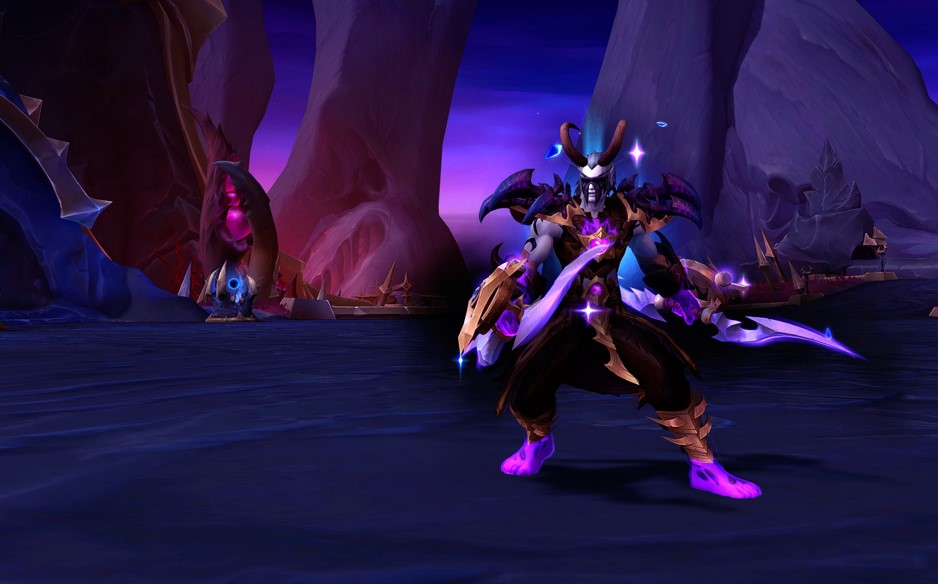


WoW Patch 12.0.5 – Key Features, Class Changes, and What to Expect
WoW Patch 12.0.5 brings Void Assaults, the Voidforge system, class changes, and new activities. Learn how this World of Warcraft update reshapes gearing, gameplay, and the meta.


Dota 2 Patch 7.41: Why Valve Removed Aspects and What It Means for the Game
Dota 2 Patch 7.41 removes aspects, reshaping hero balance, drafting, and gameplay flow. Learn what changed, why Valve did it, and how the new Dota 2 meta works.


Fortnite Cheat Codes & Console Commands (2026): What Actually Works
Looking for Fortnite cheat codes in 2026? Learn which codes actually work, how to redeem them, where to find legit Fortnite codes, and how to avoid scams and fake cheats.


Miks Valorant Guide — All Abilities, Role, Best Teammates, and How To Play
Miks is Valorant's 30th agent and the first Controller who can heal. Here's a full breakdown of every ability, when to use each mode, and how to get the most out of him in ranked.

Dota 2 Patch 7.41 — All New Items, Neutral Items, and Tier List
Patch 7.41 added 9 new shop items and 8 neutral items to Dota 2. Here's what every item does, who should buy it, and which neutral items are actually worth picking up.
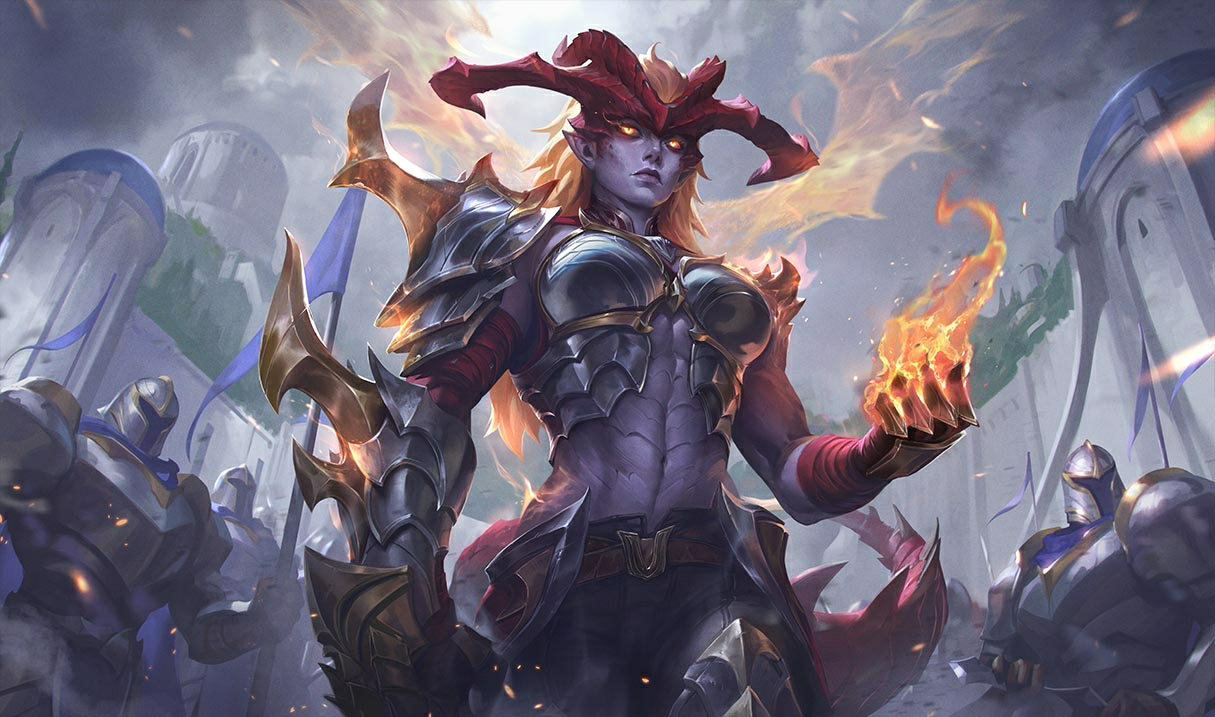

Shyvana Rework 2026 — New Abilities, Best Build, Skins, and Meta Impact
Shyvana's VGU finally landed in patch 26.6. New kit, new look, new dragon form that actually feels like a dragon.




Comments on the article
No comments yet. Be the first!
Leave a comment