


 Zwiększanie rankingu


 Waluta w grze


 Perplexity
 ChatGPT
 Grok
Grok
 Claude
 Post on Reddit
Popraw swoje wrażenia z gry dzięki naszym usługom
Wykorzystaj pełen potencjał gry dzięki profesjonalnym rozwiązaniom

Best settings for CS2: how to effectively boost FPS
You’ve probably already heard that CS settings for FPS work wonders. They speed up scene rendering and increase your chances of spotting an enemy before they see you.
For shooters like CS2, FPS matters for several reasons:
It really helps you win.
It improves player reaction.
It increases shooting accuracy.
How to increase FPS in CS? Let’s find out below.
How to enable FPS display in CS2
Not sure how to speed up CS? But how are you measuring FPS in-game? Exactly. First, you need to enable frame-per-second display and monitor the numbers for a while. There are several ways to do this:
Enable display through the console using the command
cl_showfps 1, where 0 is off and 1 is on.Use third-party software such as MSI Afterburner + RivaTuner Statistics Server (RTSS), NVIDIA GeForce Experience, Steam FPS Counter.
But remember that overlays can violate game rules and affect performance, so it’s better to use the built-in counter. If you see values below 100 FPS, it’s time to optimize the game.
FPS tuning in CS is not a very complicated task. Below, we’ll look at ways to optimize graphics for the fastest rendering.
Optimal graphics settings for CS2
How to stabilize FPS in CS GO? First, you need to understand what affects the frame rate the most. For example:
PC power, especially memory speed, graphics card, processor.
Internal game settings, even on relatively weak PCs.
Earn for the first yourself, and we’ll help with the second. For maximum framerate boost, use the following settings:
Display mode: Fullscreen.
Resolution: minimal but comfortable (optimal is 1280x960 or 1024x768).
Render scale: 75–100% (the lower, the higher the FPS).
Vertical sync: Off.
FPS cap: Off.
Additional graphics settings:
Player shadows: High (important for gameplay).
Everything else – Low/Off.
You can also use Steam launch options with the following commands:-high -novid -nojoy +cl_forcepreload 1 +fps_max 0 -tickrate 128
If your system is relatively powerful, adjust settings as you prefer. Good hardware can deliver 300–400 FPS even on ultra settings.
Now you know how to set up graphics in CS, but what about additional optimization? Let’s explore.
Graphics card settings for maximum FPS
How to tune FPS in CS using graphics card settings? Let’s look at examples for Nvidia and AMD.
Nvidia
Open NVIDIA Control Panel → Manage 3D settings
Set the following:
Power management mode → Prefer maximum performance
Preferred refresh rate → Highest available
Texture filtering – quality → High performance
Vertical sync (V-Sync) → Off
AMD
Open AMD Radeon Settings
Go to Gaming → Global Settings
Set the following:
GPU workload mode → Maximum performance
Anisotropic filtering → Off
Wait for vertical refresh → Always off
Remember, the best settings for CS GO are the ones you feel comfortable playing with, without FPS drops. The recommendations above are mainly for relatively weak PCs. Modern hardware delivers consistently high framerates by default, though it still needs some tweaking to improve framerate and responsiveness.
Przeczytaj także


Patch 12.0.5 do WoW – Kluczowe funkcje, zmiany klas i czego się spodziewać
Patch 12.0.5 do WoW wprowadza Ataki Pustki, system Voidforge, zmiany klas oraz nowe aktywności. Dowiedz się, jak ta aktualizacja World of Warcraft zmienia wyposażenie, rozgrywkę i metę.

Dota 2 Patch 7.41: Dlaczego Valve usunęło aspekty i co to oznacza dla gry
Aktualizacja Dota 2 7.41 usuwa aspekty, przekształcając równowagę bohaterów, draftowanie i przebieg rozgrywki. Dowiedz się, co się zmieniło, dlaczego Valve to zrobiło i jak działa nowa meta Dota 2.

Kody cheatów i komendy konsoli do Fortnite (2026): Co faktycznie działa
Szukasz kodów cheat do Fortnite w 2026 roku? Dowiedz się, które kody faktycznie działają, jak je zrealizować, gdzie znaleźć legalne kody do Fortnite oraz jak unikać oszustw i fałszywych cheatów.

Przewodnik Miks Valorant — Wszystkie umiejętności, rola, najlepsi współpracownicy i jak grać
Miks jest 30. agentem w Valorant i pierwszym Kontrolerem, który potrafi leczyć. Oto pełny opis każdej umiejętności, kiedy używać każdego trybu i jak najlepiej wykorzystać go w rozgrywkach rankingowych.
Dota 2 Patch 7.41 — Wszystkie Nowe Przedmioty, Przedmioty Neutralne i Lista Tierów
Patch 7.41 dodał 9 nowych przedmiotów do sklepu i 8 przedmiotów neutralnych do Dota 2. Oto, co robi każdy przedmiot, kto powinien go kupić i które przedmioty neutralne naprawdę warto podnieść.
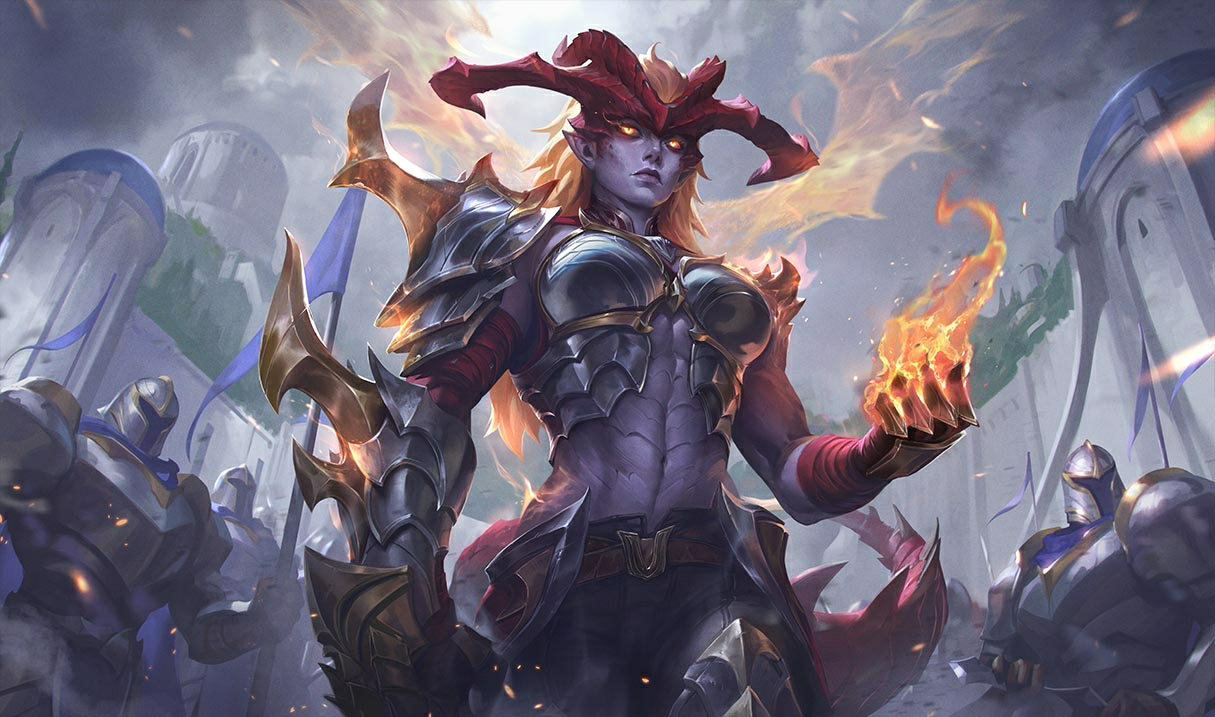

Przeróbka Shyvany 2026 — Nowe Umiejętności, Najlepsze Buildy, Skórki i Wpływ na Metę
VGU Shyvany w końcu pojawiło się w patchu 26.6. Nowy zestaw umiejętności, nowy wygląd, nowa forma smoka, która faktycznie przypomina smoka.




Komentarze do artykułu
Na razie brak komentarzy. Bądź pierwszy!
Dodaj komentarz